Operations copilot for trucking fleets of every size

Dispatch loads, bill the day they deliver, and know what every truck made.

BAI Copilot runs the office work of a trucking company in one plain-language workspace: dispatch, fleet and drivers, billing, documents and compliance, tracking, reporting and the weekly close. It prepares the work and asks before it acts.

  • Owner-operators to multi-terminal fleets
  • Controlled pilot program
  • Start from the records you keep
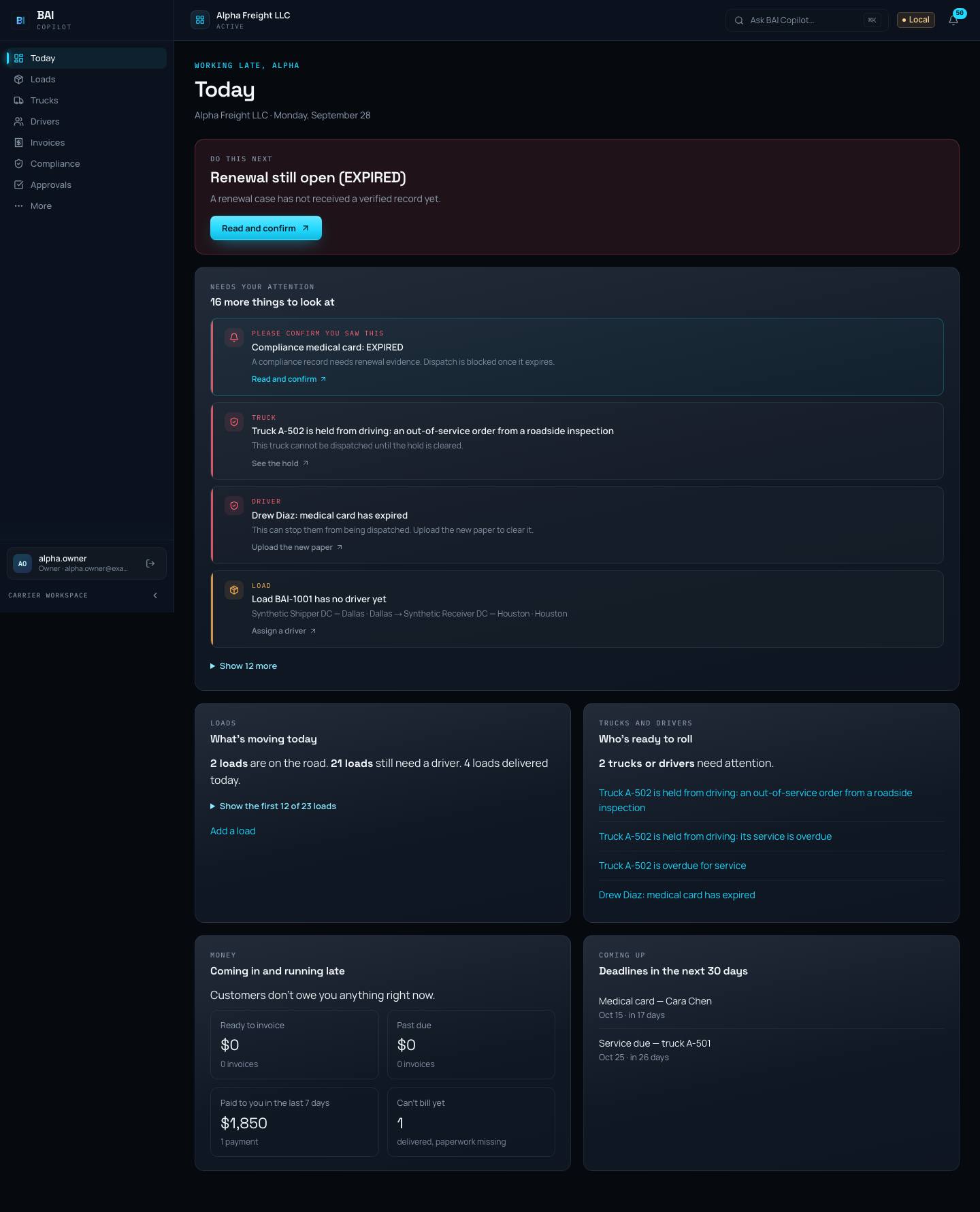
The Today page in BAI Copilot: a “Do this next” card, a list of things that need attention, what is moving today, who is ready to roll, and money tiles for ready to invoice, past due and paid.Product screenshot · sample data
TodayThe real product, with sample data: what needs you first, what is moving, and money in or late.

Solutions

Eight things a trucking company has to get right. One workspace.

Each one is real, in the product, and carries its honest status. Open any of them for the specific features and a screenshot.

  • Dispatch & load management

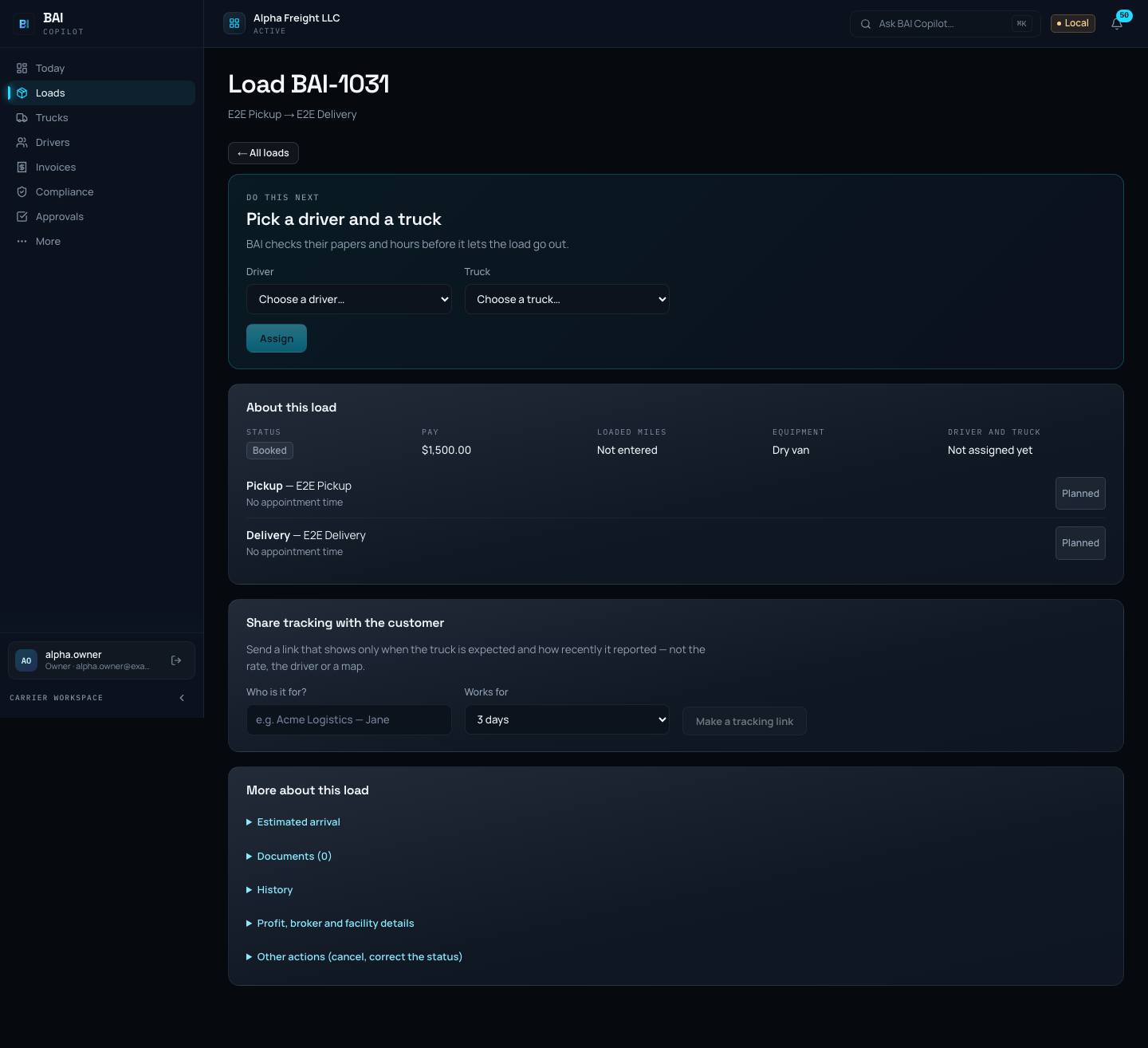
    Book a load, assign the truck and driver, and watch every stop and status without chasing anyone.

    • Assign truck and driver; papers checked first
    • Stops, arrivals and load statuses
    • Rate confirmations and detention on the load
    • Broker emails turned into loads
    See the details
  • Fleet & drivers

    Every truck, trailer and driver with its papers, service and assignment in one roster.

    • Trucks and trailers with papers and service history
    • Driver roster and today’s assignments
    • Maintenance, defects and holds
    • Work orders, shops and repair cost
    See the details
  • Billing & profitability

    Invoice the day a load delivers, match every payment, and know what each truck really made.

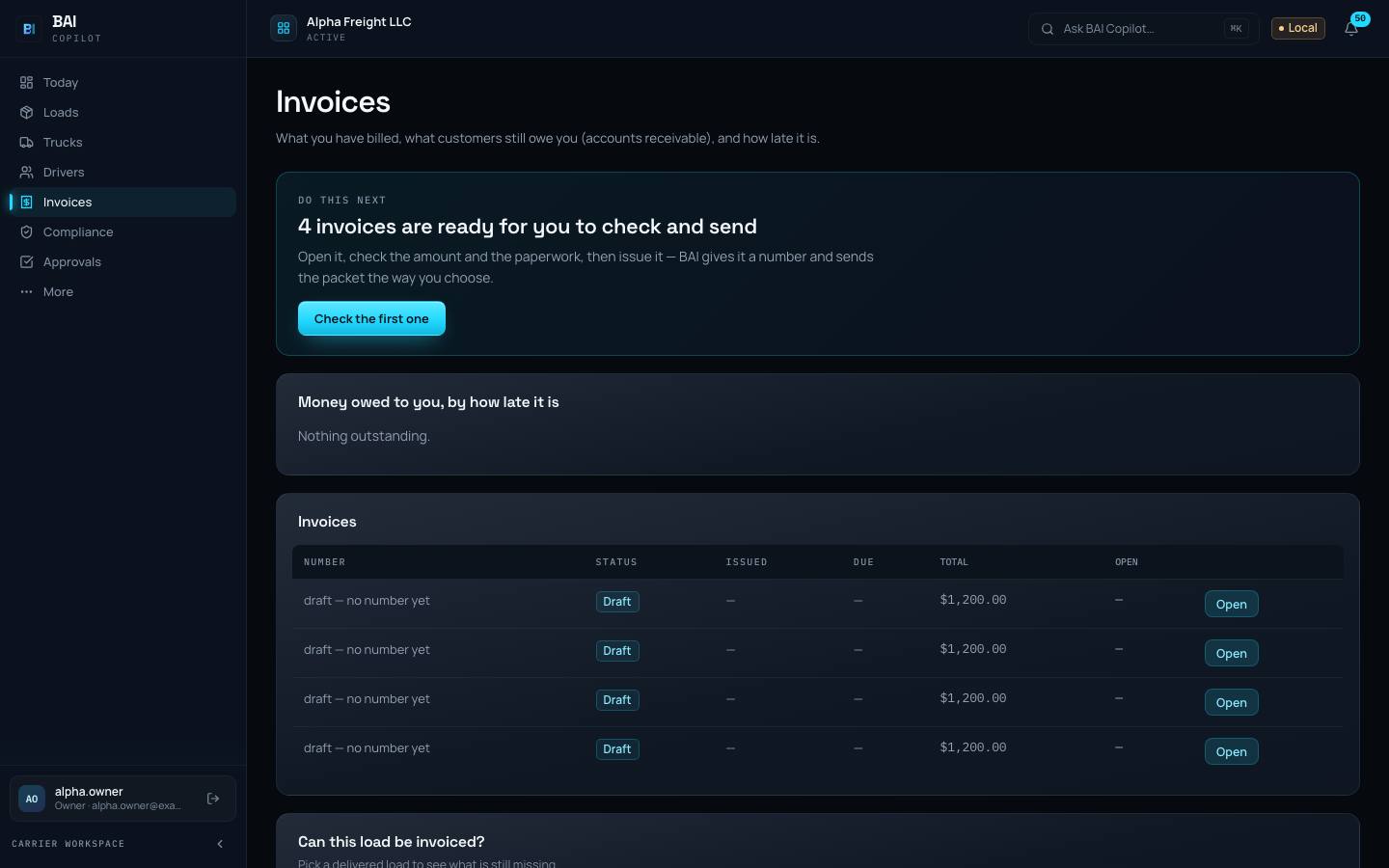
    • Invoices ready to bill when proof is in
    • Collections, short pays and reconciliation
    • Truck-level P&L and cost per mile
    • Driver settlements and factoring packets
    See the details
  • Documents & compliance

    Proof of delivery, bills of lading, renewals and inspection reports filed and watched before a date stops a truck.

    • POD, BOL and receipts filed against the load
    • Renewals flagged well before they expire
    • Driver inspection reports (DVIR) and defect photos
    • IFTA and road-tax worksheets, never filed for you
    See the details
  • Tracking & driver tools

    Drivers work from a link or the app; you see where trucks are and how fresh that position is.

    • Driver app: stops, photos, messages, position
    • Live map that shows the age of every position
    • Customer tracking links that expire
    • Text or email for drivers without the app
    See the details
  • Integrations & automation

    Start from the files you already have. Direct connections switch on one at a time, when you and the vendor are ready.

    • QuickBooks Online: export files now, direct sync laterIntegration-dependent
    • ELD positions and hours (Motive, Samsara, Geotab)Integration-dependent
    • Fuel cards, tolls and load boards from statementsIntegration-dependent
    • Routing miles; API accessPlanned
    See the details
  • Reporting & week close

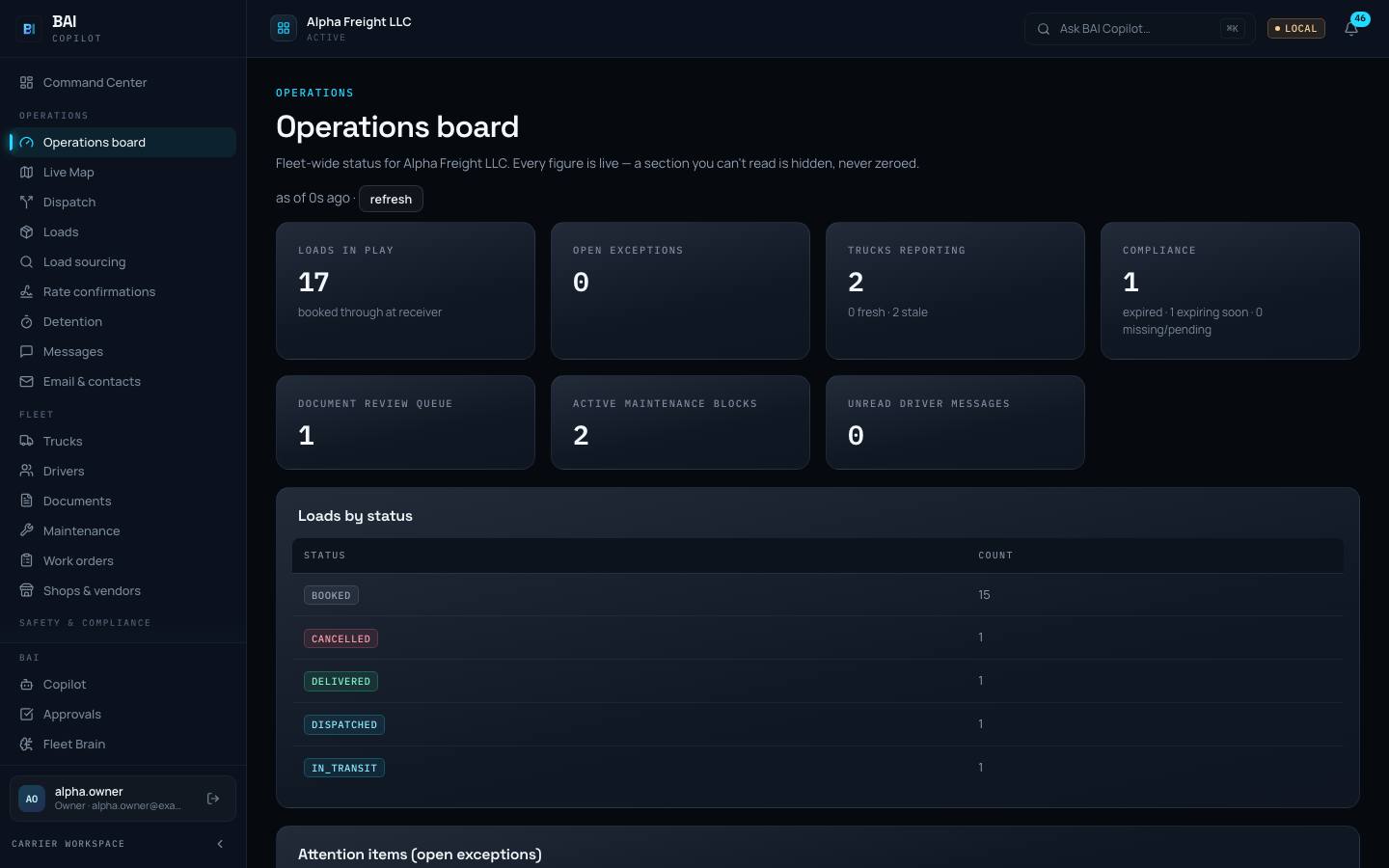
    One board for cash, settlements and what needs you, and a short Friday routine that ends the week clean.

    • Today and the operations board
    • Cash: ready to bill, owed, late, paid
    • Week close: pay checked, invoices out, week locked
    • Scorecard measured on your own records
    See the details
  • Carrier operations copilot

    Ask about your loads, trucks and money in plain words. BAI prepares the work; a person approves anything that matters.

    • Answers from your own records, not guesses
    • Approvals queue for money and outside messages
    • Every decision recorded with its evidence
    See the details

Pilot means built and tested, offered under a controlled pilot program. Integration-dependent means the BAI side exists and a vendor connection has not been switched on; the file-based path works today. Planned means not built yet, no date promised.

The full feature list, with every status

How BAI works

Three steps, no long setup project.

  1. Bring in what you have

    Trucks, drivers, papers and open invoices from the spreadsheets you already keep. A dry run shows every row before anything is created.

  2. Run the week in one place

    Book and dispatch, drivers report from their phone, proof of delivery turns into a ready-to-bill invoice, payments are matched back.

  3. BAI prepares. You approve.

    Anything that moves money or goes outside the company waits in Approvals with its evidence. A person decides, every time.

See a full week with BAI

Money and time

What routine admin and slow invoicing cost you. Your numbers, not ours.

Status calls, data entry, chasing paperwork and invoices that go out days after delivery. The business case page starts from editable assumptions and shows every formula in words.

  • Hours of routine admin BAI can absorb or defer each week, from your own estimate of each task
  • Cash that arrives sooner when invoices go out the day a load delivers
  • A hire benchmark, counted only if you say you would otherwise hire, and never called a saving

Every assumption is yours to edit

  • 1 – 5,000trucks
  • 4kinds of admin work
  • 0numbers we fill in for you

Assumptions, not results. Pricing is not published; pilot terms are agreed with each fleet.

Build your business case

Every fleet size

Built for the way a trucking company grows.

The same records and the same workflow, from one truck to many terminals. The menu stays short for a small team and opens up as the fleet does.

  • 1 to 3 trucks

    Owner-operators

    You dispatch, drive, bill and file. BAI keeps the paperwork and the money straight from your phone.

    • Driver link and app for your own loads
    • Invoice from the cab the day you deliver
    • Papers and renewals on one short menu
    Status: Pilot

    In the pilot program today.

  • 4 to 50 trucks

    Small and growing fleets

    An owner, a dispatcher and a bookkeeper run the week. BAI prepares each step and shows what is left to decide.

    • Dispatch, driver pay and the Friday week close
    • Truck-level profit after real costs
    • Files for your bookkeeper and your factor
    Status: Pilot

    In the pilot program today; the first pilot fleets are this size.

  • 50 to 300 trucks

    Regional carriers

    Several dispatchers, a safety manager and an accounting team. BAI adds a fleet-wide board, roles and an approvals queue.

    • Operations board across the whole fleet
    • Team roles: each person sees their part
    • Fuel, toll and ELD data from statements now, feeds later
    Status: Coming soon

    Built and tested with synthetic fleets at this size; not yet run with a carrier of this size.

  • 300 trucks and up

    Multi-terminal and enterprise fleets

    Many terminals, existing systems and an IT team. BAI connects to what you have and keeps a record of every change.

    • Per-company isolation and a full audit trail
    • Direct ELD, fuel and accounting connections as activated
    • Single sign-on and API access
    Status: Planned

    Intended market. Single sign-on and API access are planned; enterprise-scale performance is not yet verified and we do not claim it.

Pilot fleets today are owner-operators and small and growing carriers. Larger fleets start with a scoped pilot on one terminal or one lane.

Built like a system of record

Careful with your records by design.

  • Your records stay yours

    Each company’s records are isolated at the database level, including from our own staff.

  • Asks before it acts

    Money and outside messages wait in Approvals for a person.

  • Every change recorded

    An audit trail shows who changed what, and when.

  • Unknown is never zero

    Missing data is shown as missing, never as zero or “fine”.

See it on your own records.

A short demo, then a pilot that runs one week at a time next to what you do today. The customer portal opens with the pilot.